1
Choose the questions.
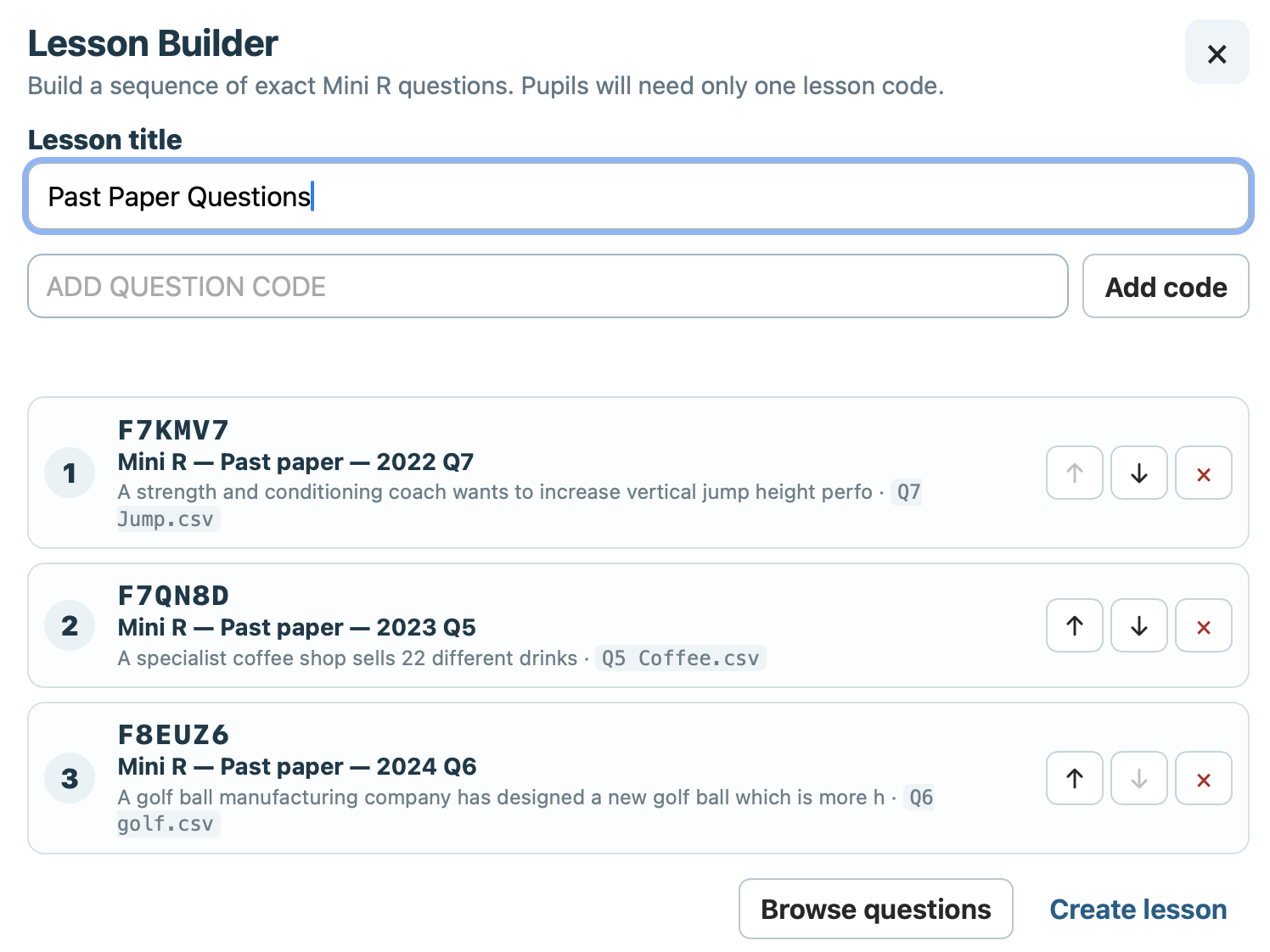
Build from reproducible Mini R questions rather than generic placeholders. All SQA/QS past paper questions that use RStudio are included in Mini R.
Higher Applications Practice
Learn the RStudio skills you need by actually using them.
Mini R is a focused, browser-based R environment built for Higher Applications of Mathematics. Pupils write commands, work with datasets, generate plots, interpret statistical output and tackle connected exam-style questions, with support that can be reduced as confidence grows.
There’s nothing to install, no accounts to create and no logins required. Mini R runs directly in the browser, so pupils can get straight to work on any device with a web browser.
The workspace
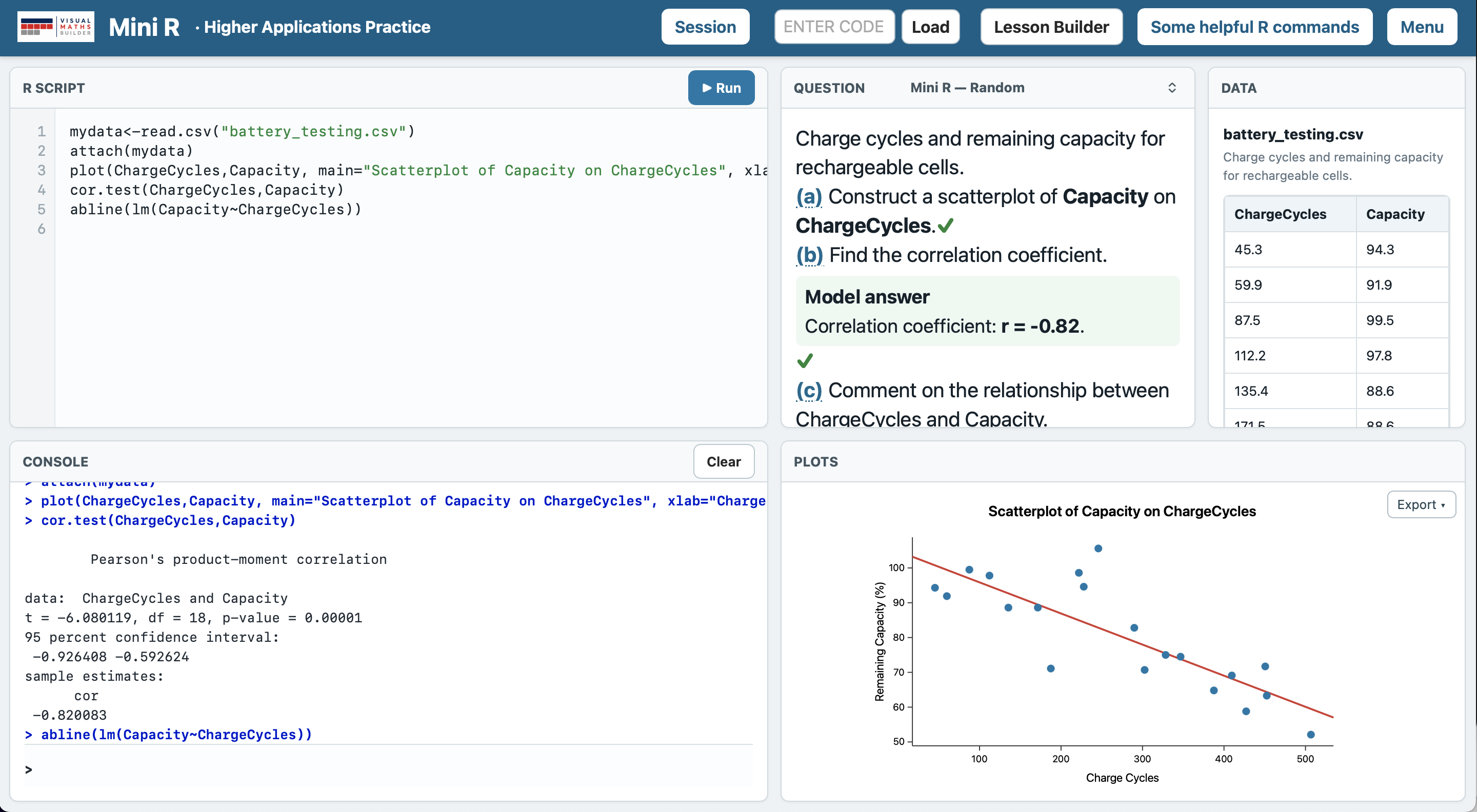
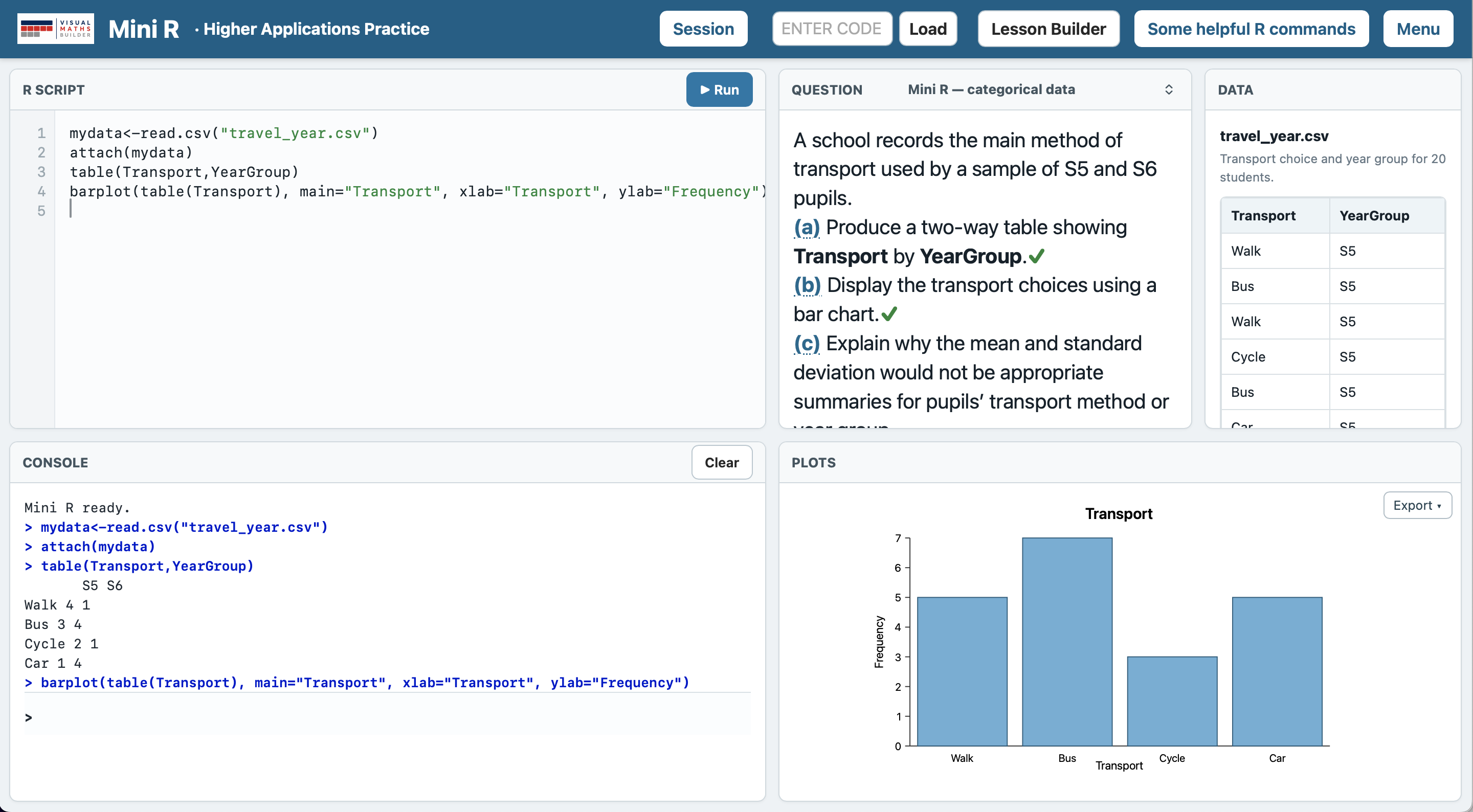
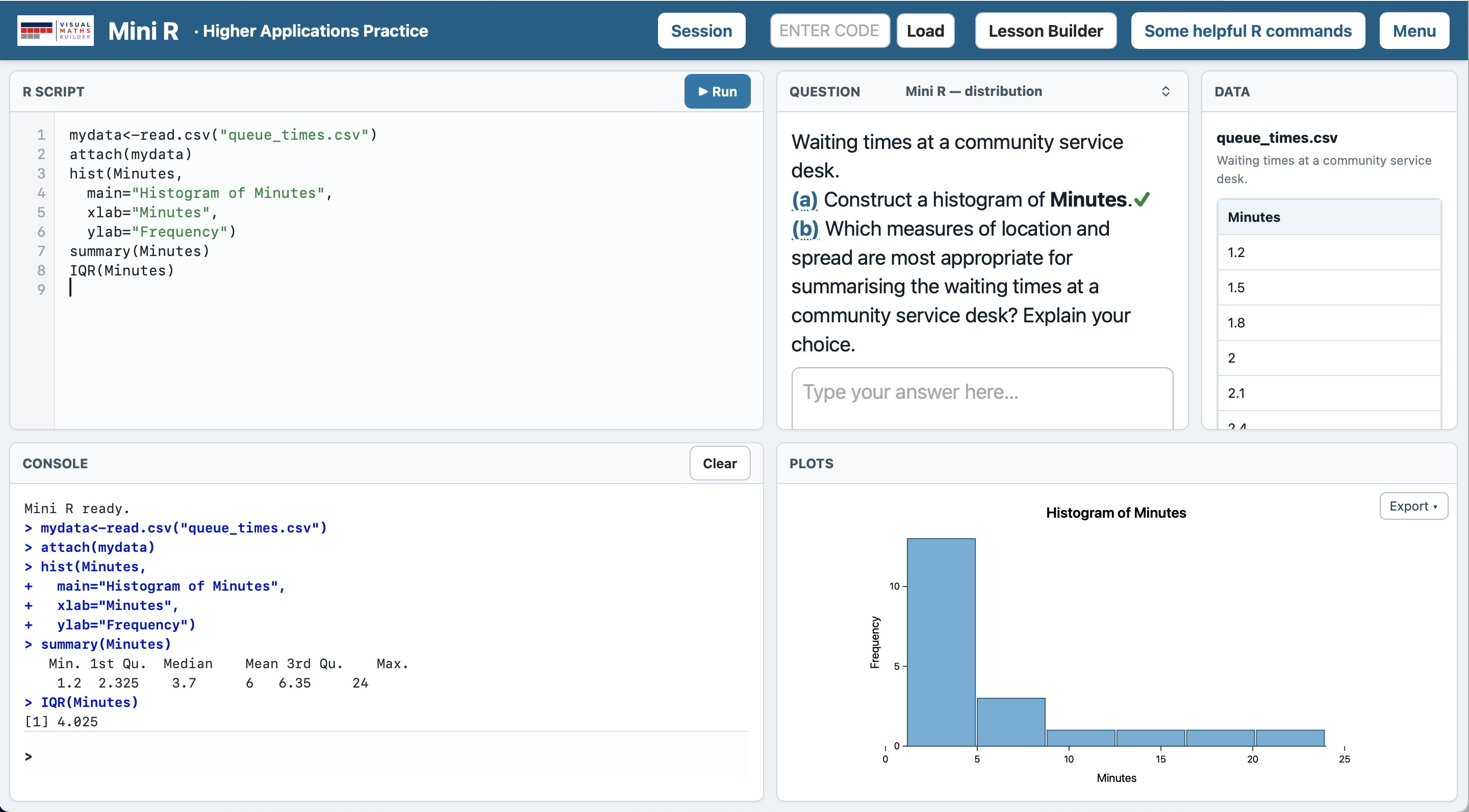
Mini R follows the working pattern pupils need to understand: write code in R Script, run it, read the Console, inspect the data and use the resulting Plots. The interface keeps the question and dataset in view while pupils work, so the statistics never become detached from their context.
Mini R does not try to reproduce every part of RStudio. Instead, it concentrates on the commands, outputs and habits pupils need for Higher Applications of Mathematics, removing unnecessary complexity without replacing the genuine process of using R.
Questions and data
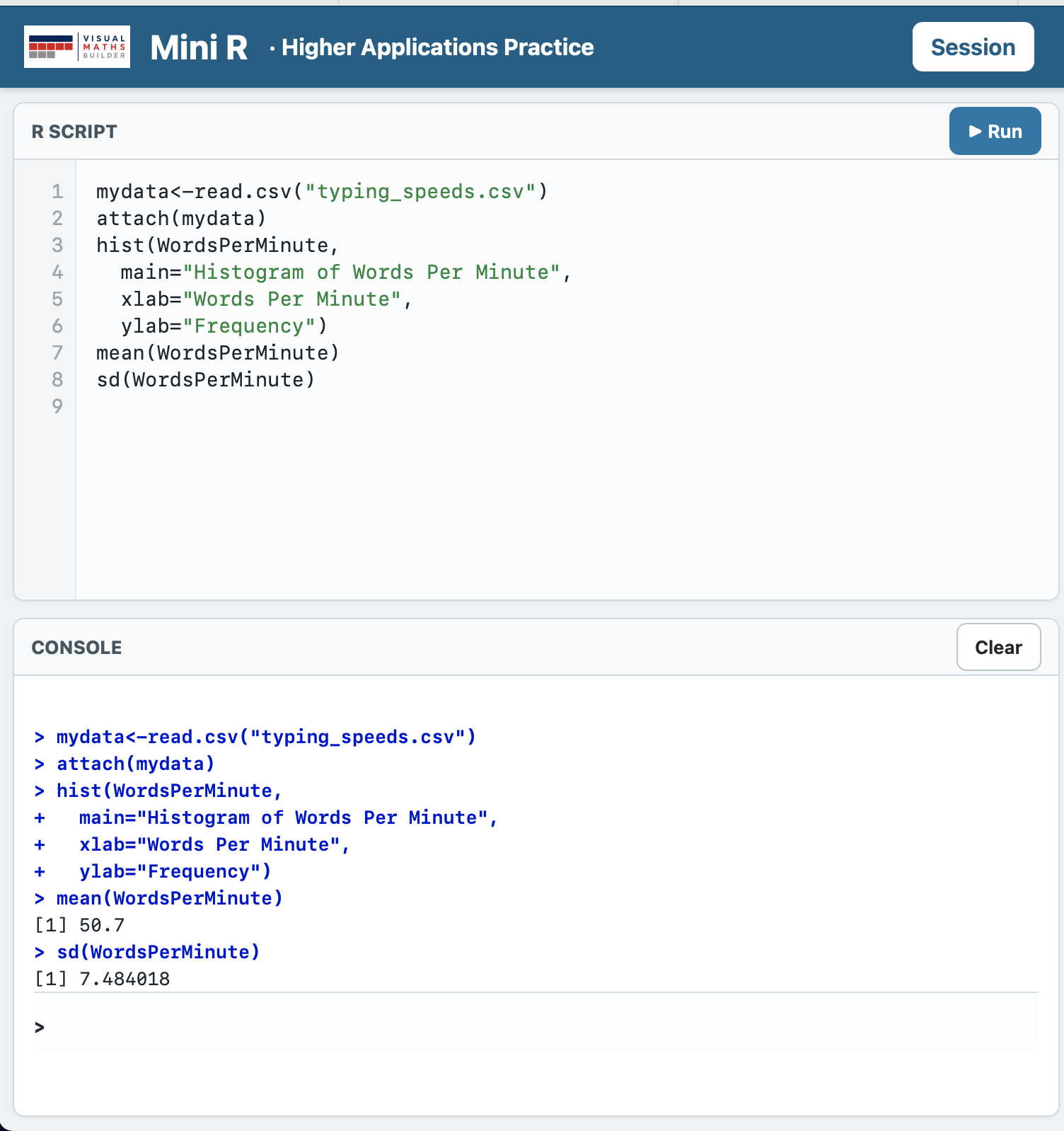
Each task is grounded in a statistical question and a dataset. Mini R includes a growing collection of datasets ready to use with generated questions and examples, allowing pupils to get straight to the statistical work.
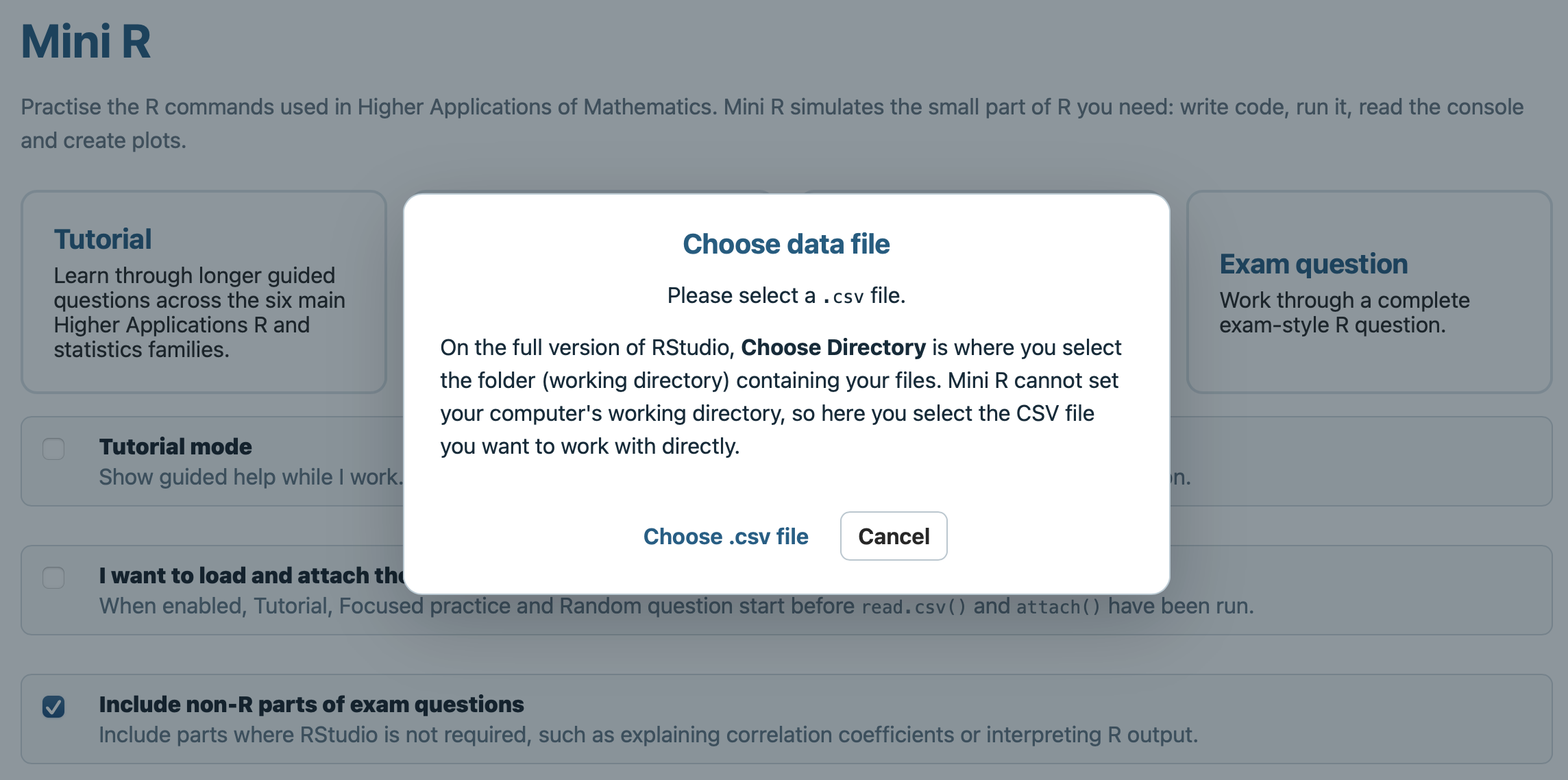
Pupils aren't limited to the data built into Mini R. They can also load their own CSV files directly from their device and use Mini R to explore and analyze data from an original source. That connection between what the question is asking, what the data represents, and what the R command does is central to Mini R.
Plots
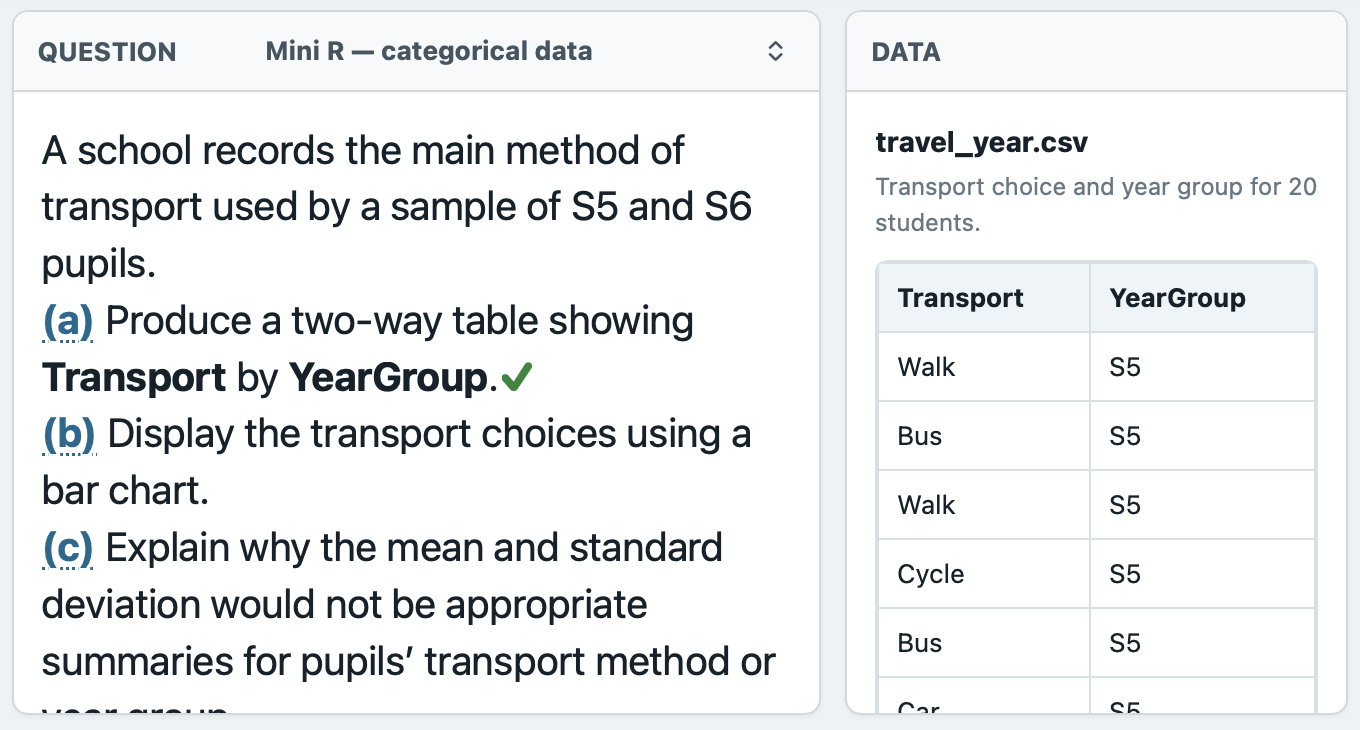
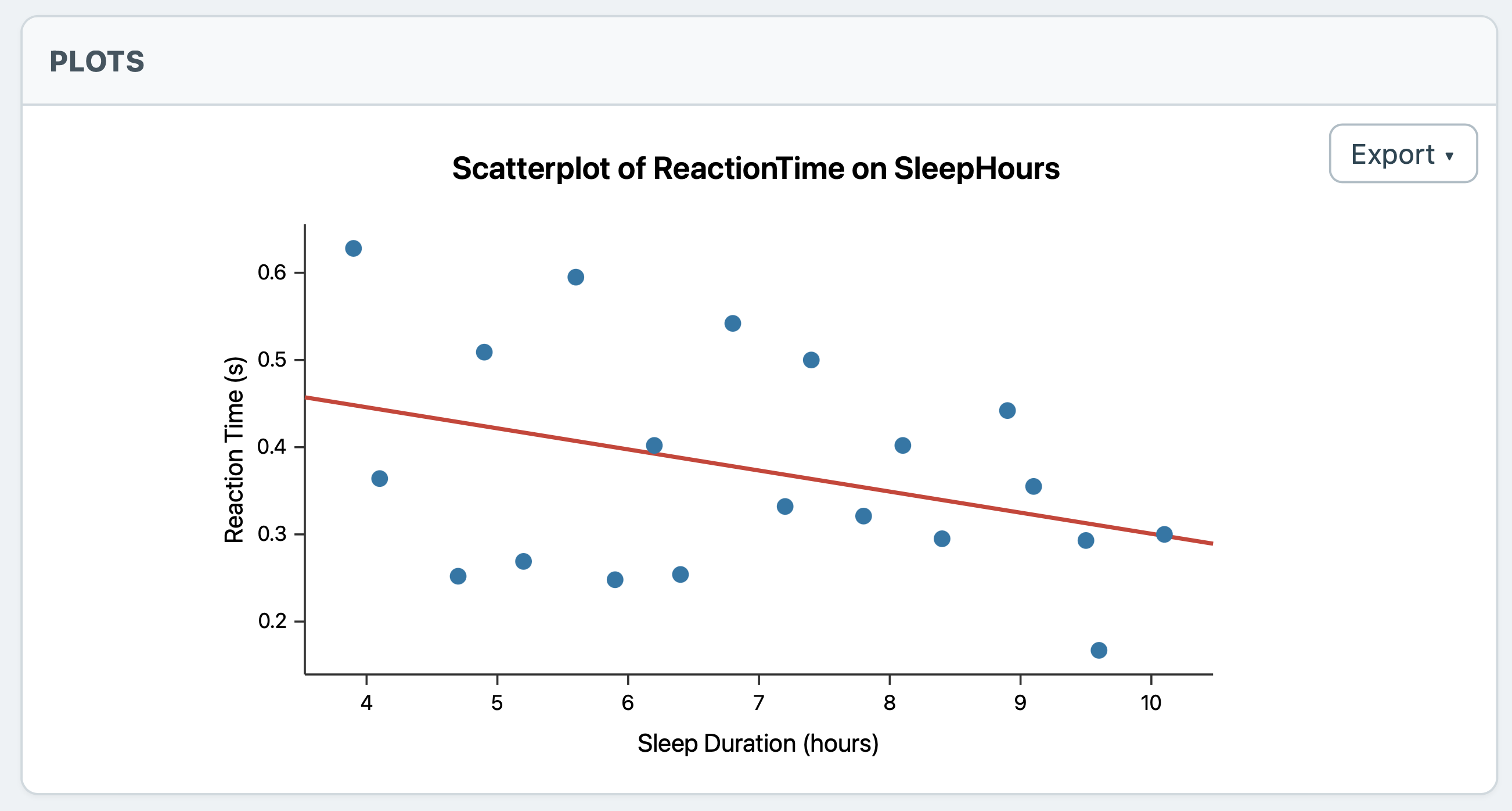
Plots are generated from the pupil's code and the current dataset. Mini R supports the graphical work required in Higher Applications of Mathematics, including scatter plots, histograms and comparative boxplots.
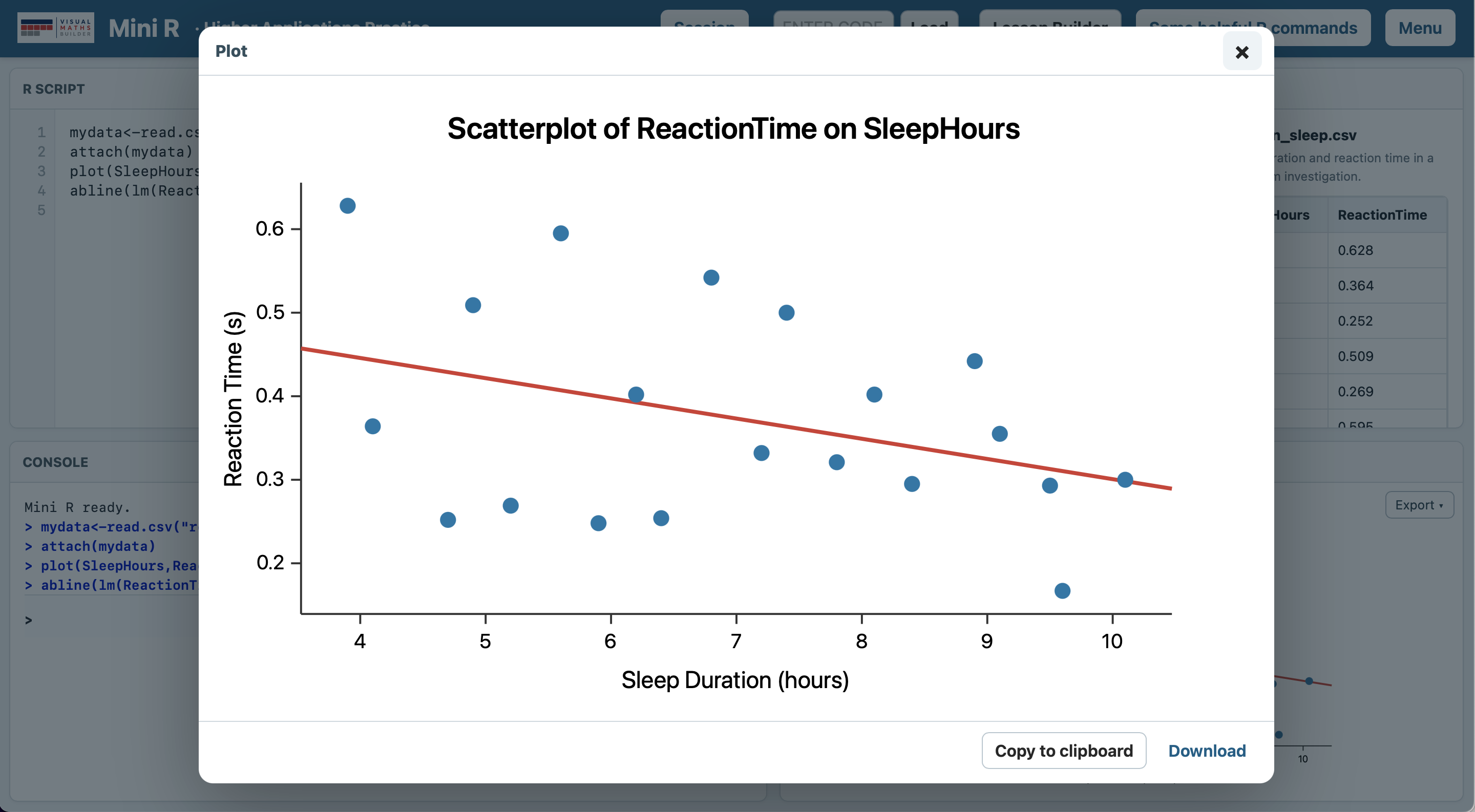
Labels, titles, variable order and other parameters matter: the pupil is constructing the real graph. Any plot can also be opened in a larger view, making it easier to examine patterns, discuss features as a class or copy the finished graph for another task.
Open any plot in a larger view.
Checking and feedback
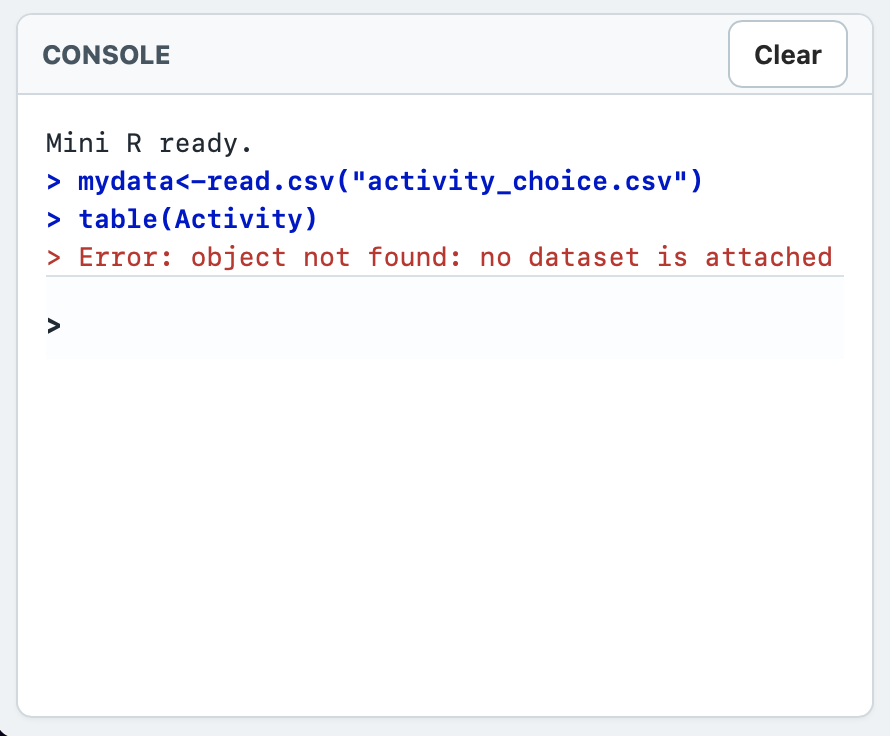
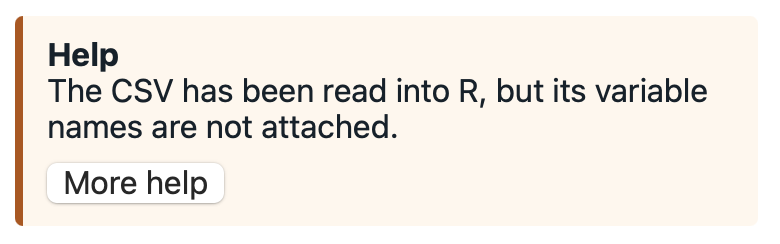
Direction and variable order can matter. So can parameters, labels and the values supplied to a statistical test. Mini R is designed around the meaning of the command. For example, if the variables in a scatter plot command are the wrong way around for the question being asked, Mini R will recognise the mistake and offer feedback to the pupil.
Alongside authentic RStudio Console feedback, shown in red, Mini R provides user-friendly hints explaining what has gone wrong and how the mistake can be fixed.
Exam Practice
Exam mode brings several skills together around one dataset. A pupil might create a plot, calculate a correlation coefficient, fit a regression model, carry out a hypothesis test and then interpret the result in context.
Parts are completed as the pupil progresses, making longer questions manageable while preserving the need to decide what to do next. The result feels much closer to solving a Higher Applications problem than practising commands one at a time.
Teacher-guided Tutorial
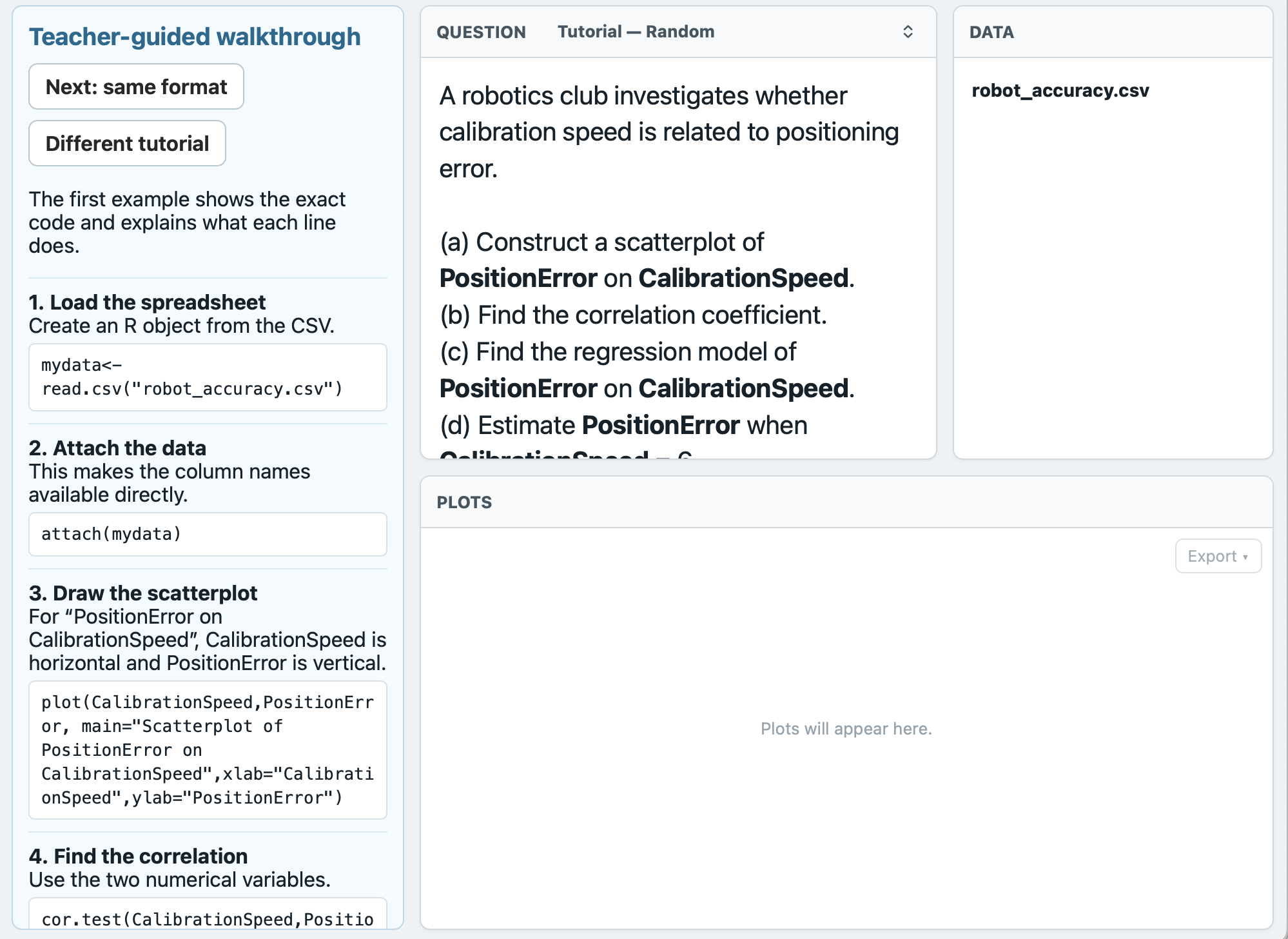
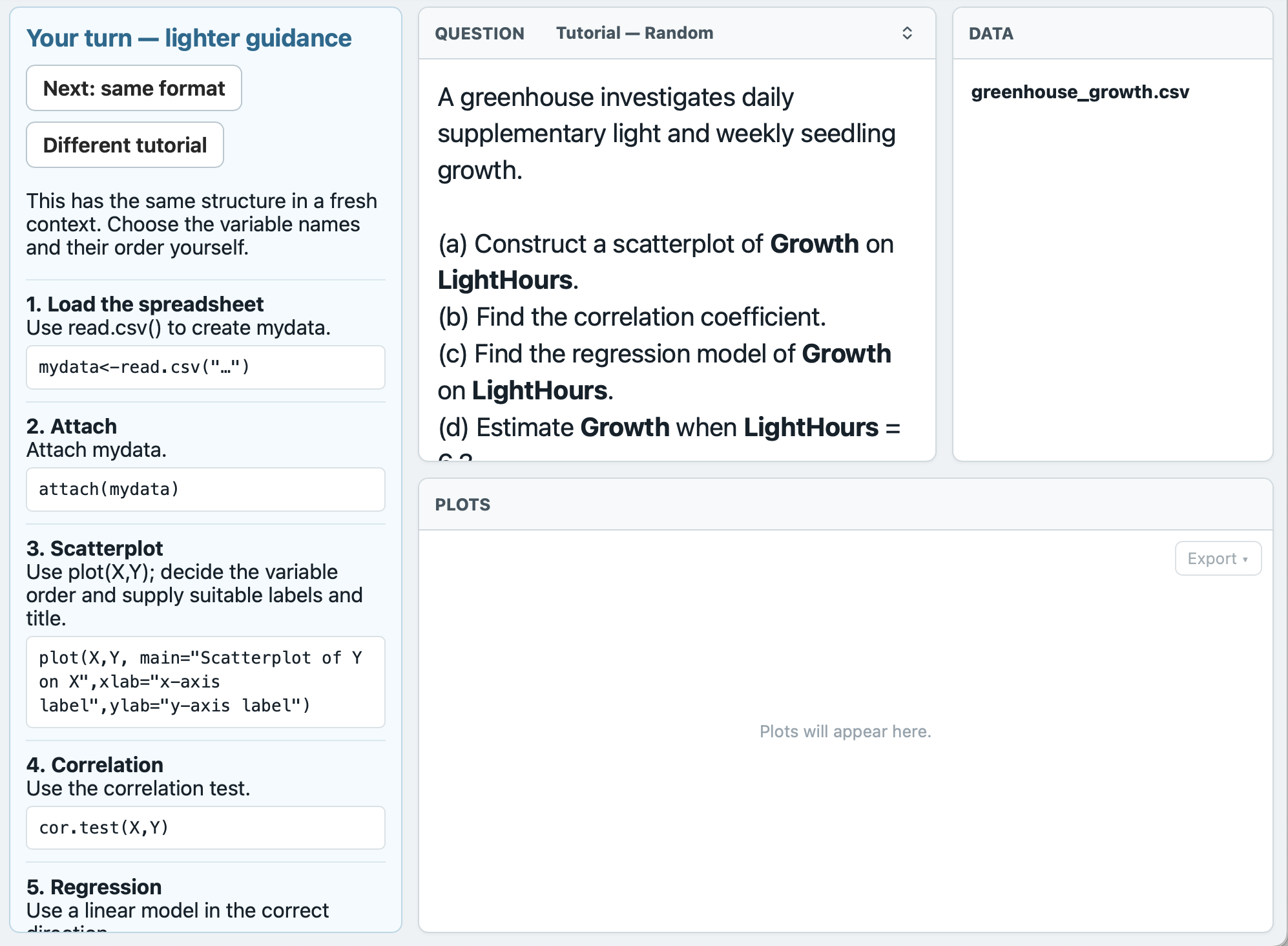
Tutorial mode adds a dedicated Guidance column to the workspace. Instead of taking over the task, it breaks the process into purposeful steps: load the data, identify the variables, construct the graph, generate the statistics and interpret what they mean.
This makes Mini R useful while a technique is still being taught, not only after pupils are ready for independent revision. The same working environment remains in place, so the support can fade without pupils having to learn a different interface.
Full guidance becomes scaffolded guidance on the next question, lessening the support and handing over to the pupil.
Help and Full Answers
Mini R can give targeted feedback when an attempt is wrong. When a pupil needs more support, Full Answers can place the required R code into the Script so pupils can compare a complete method with their own attempt and continue working.
This feature is best seen in action.
Reproducible questions
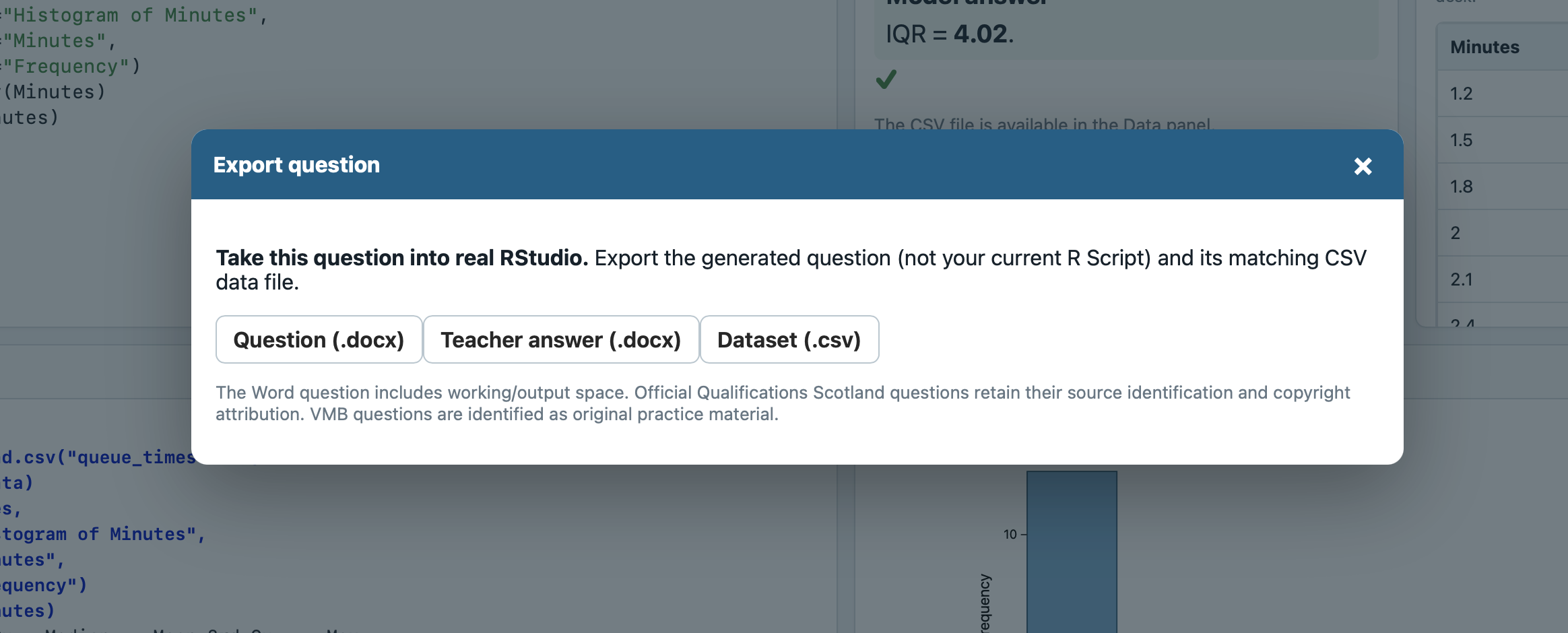
Generated questions carry a six-character question code. Entering that code recreates the same question and dataset, making random generation genuinely useful in a classroom: a teacher can share one exact task, pupils can return to it later, and everyone can discuss the same data without losing the variety Mini R can generate.
Questions can also be exported or incorporated into a lesson, turning a useful generated example into something a teacher can deliberately reuse. Exported questions come with a .csv file ready to use in the full RStudio environment.

Lesson Builder
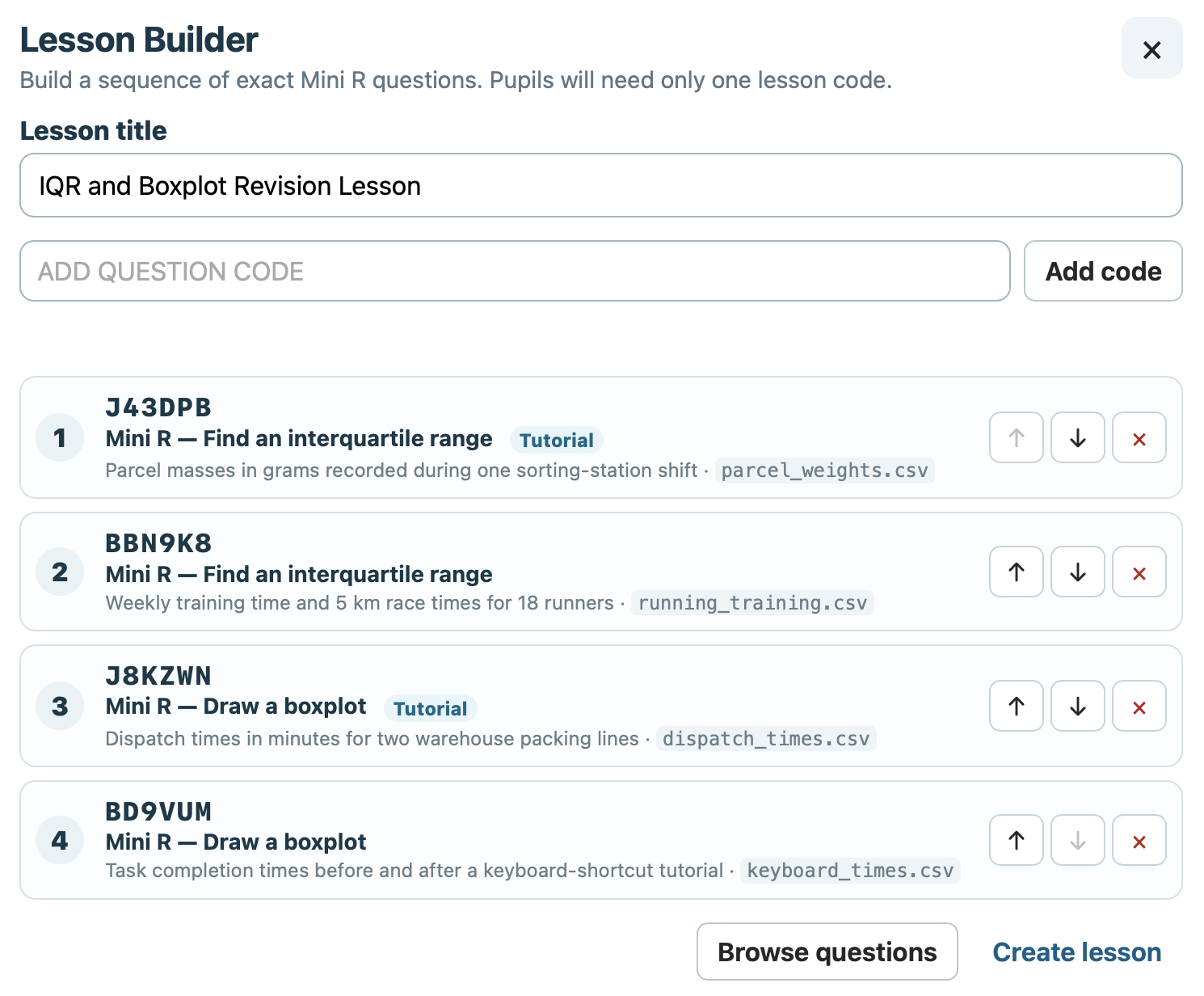
Mini R's Lesson Builder lets a teacher curate a sequence rather than sending pupils to a single generated task. Add questions by code, browse for suitable activities, reorder the sequence and give the lesson a meaningful title.
Build from reproducible Mini R questions rather than generic placeholders. All SQA/QS past paper questions that use RStudio are included in Mini R.
Teacher-guided Tutorial questions and ordinary independent questions can sit in the same lesson.
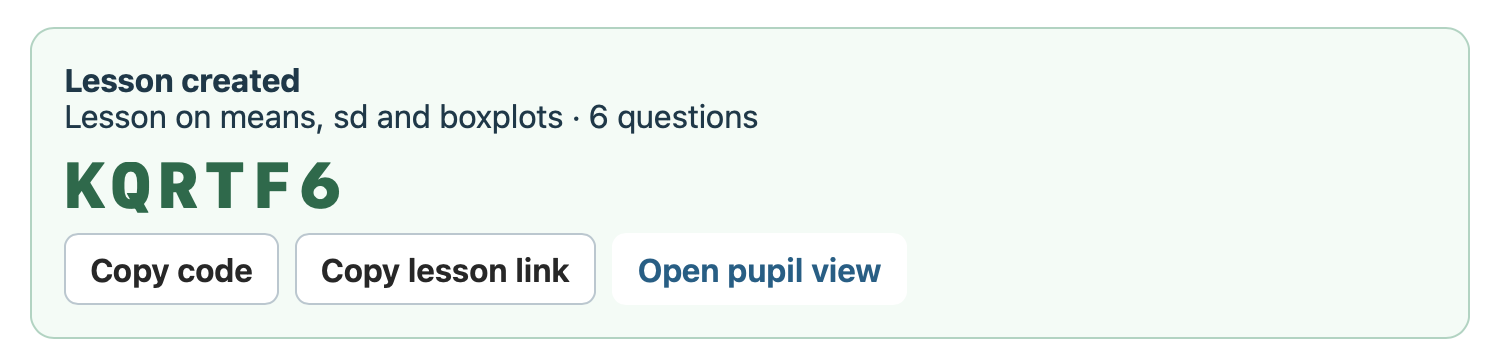
Pupils open the curated sequence and work through it inside Mini R.
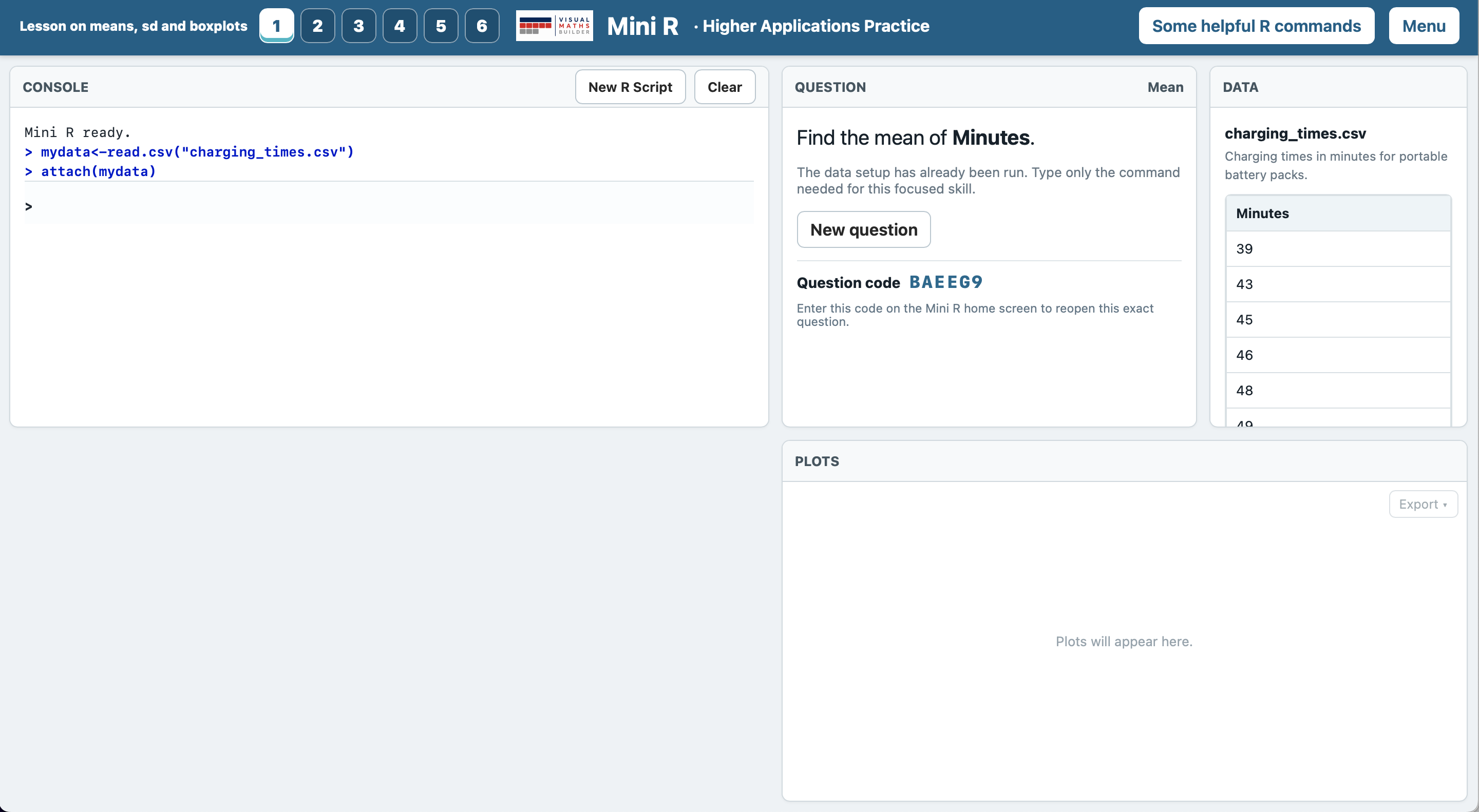
Focused by design
Mini R deliberately has a narrower scope than a general programming environment. It concentrates on the R workflow and statistical techniques used in Higher Applications of Mathematics, while still allowing pupils to write authentic commands and interpret authentic-looking output.
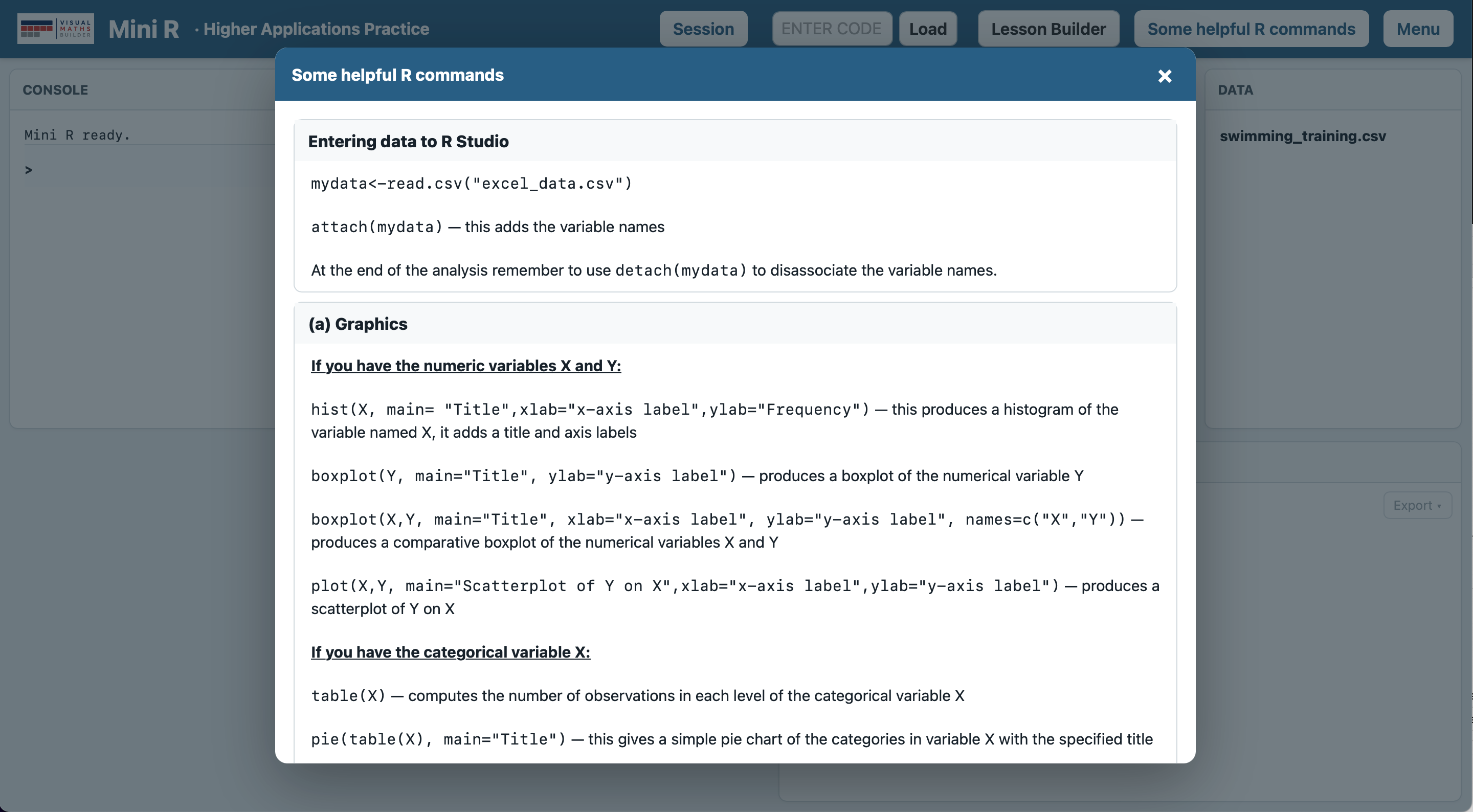
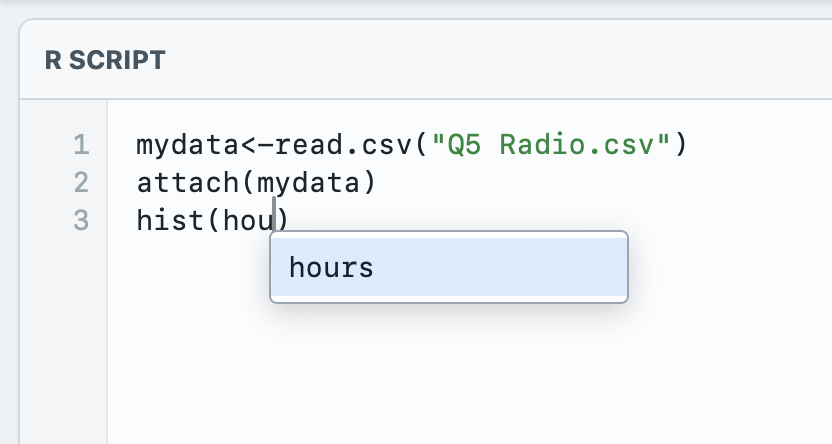
Syntax highlighting, paired brackets and quotes, multi-line scripts and variable suggestions reduce avoidable friction without deciding the mathematics for the pupil.
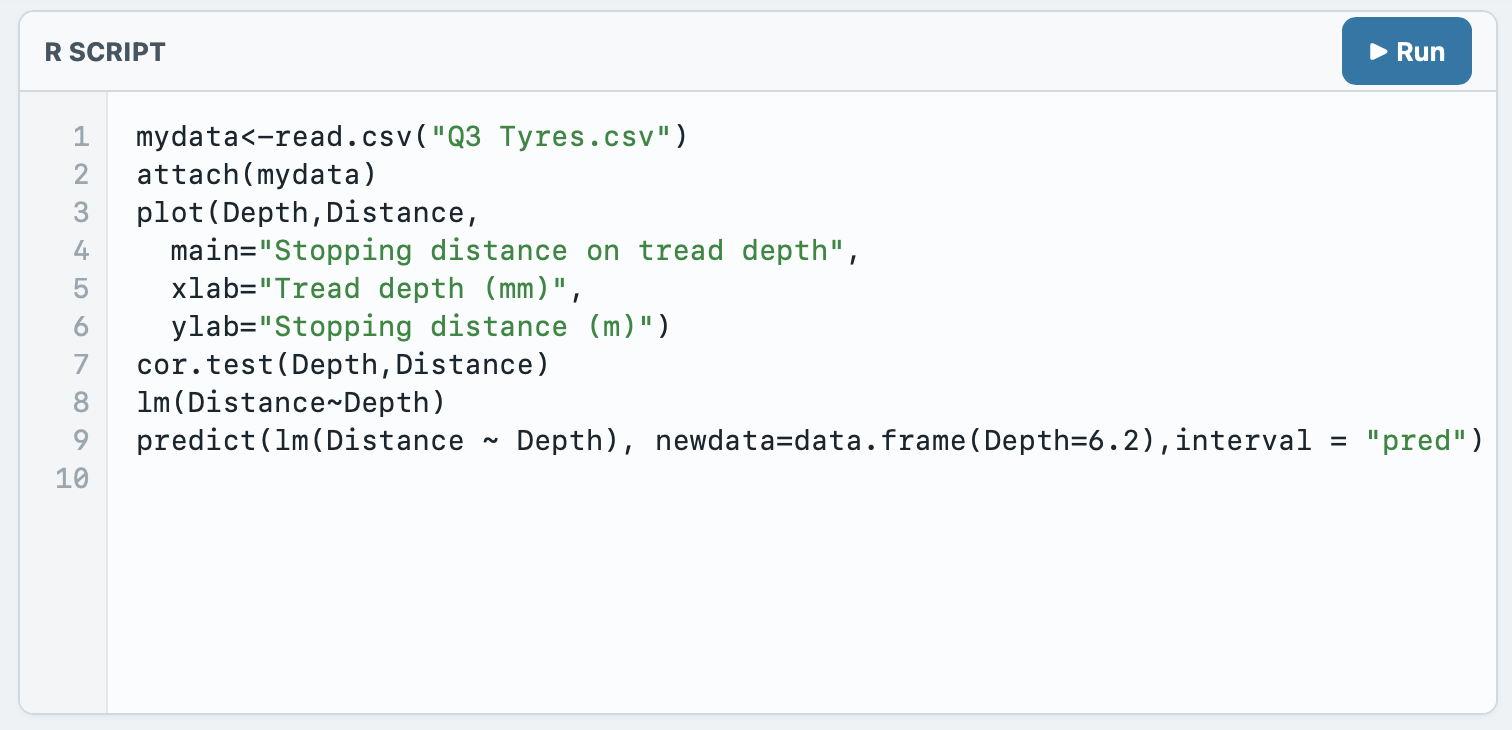
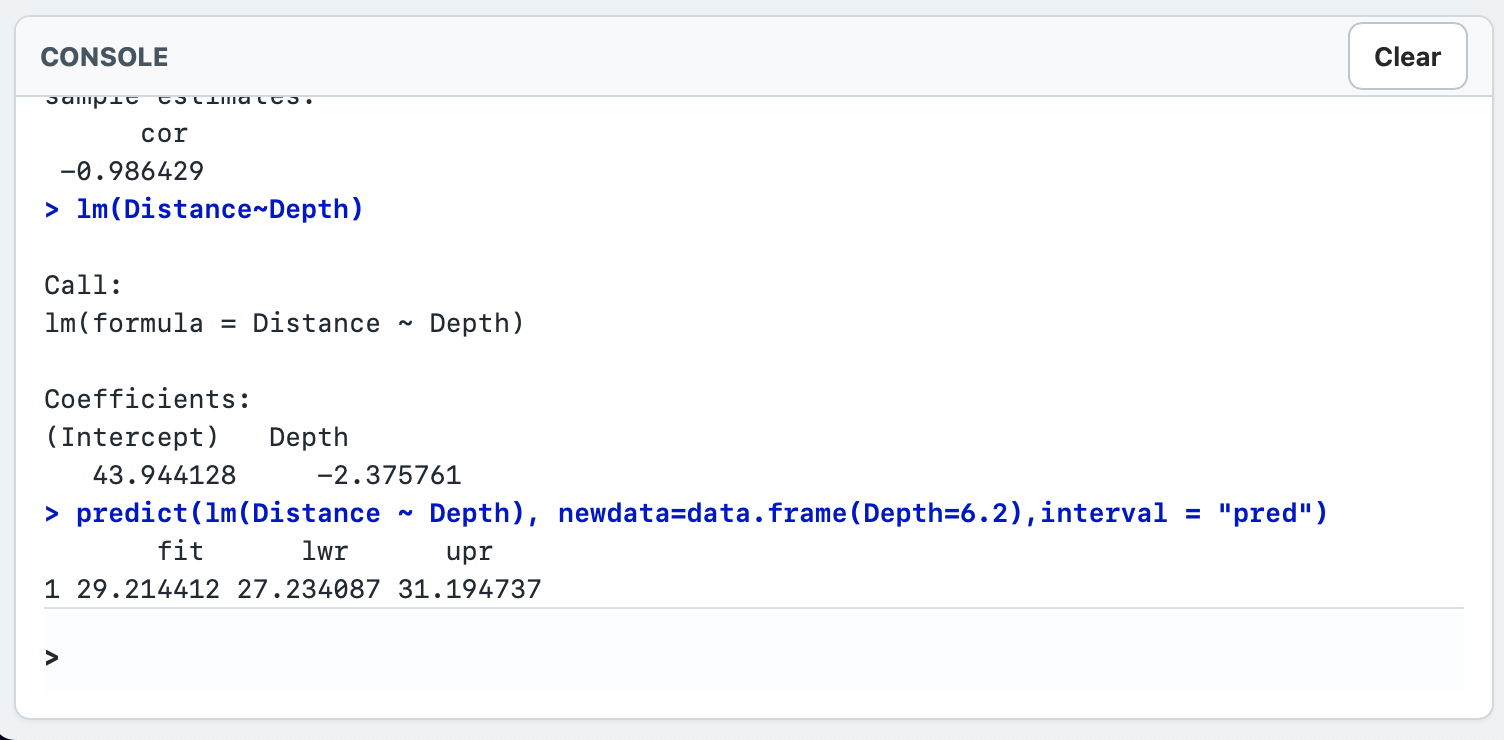
The Console is part of the task. Pupils need to locate coefficients, test results, confidence intervals and summary statistics and then use them to answer the question.
Range of practice
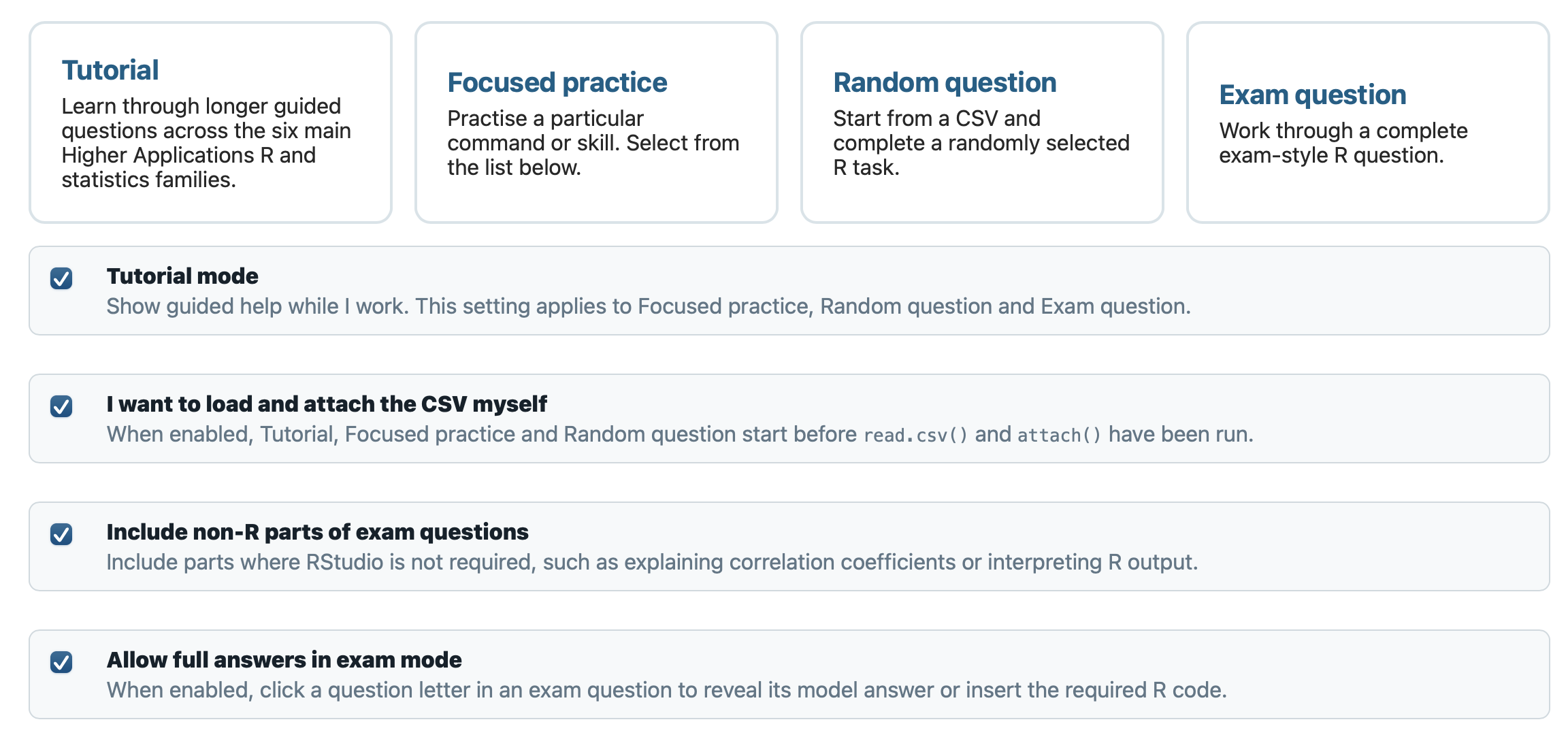
Mini R can support first teaching, focused practice, random retrieval and longer exam-style work, allowing the same environment to remain useful as independence develops.
In Focused and Random Practice, teachers can choose whether the dataset is ready to use or whether pupils must complete the full setup themselves — loading the correct CSV file with read.csv() and attaching the data before beginning the statistical work. This allows the same practice modes to focus purely on a particular statistical skill or to rehearse the complete RStudio workflow from the very beginning.
Mini R is coming soon.